Steps
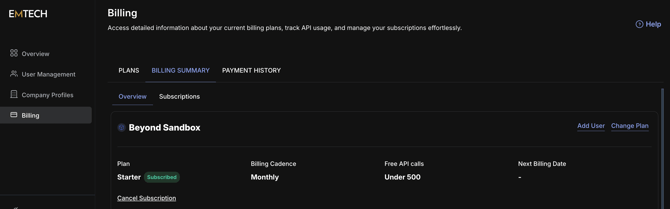
1. Go to Billing
In the left sidebar on the Home menu, click Billing.
2. Open the Billing Summary tab
At the top of the Billing page, click the Billing Summary tab. Go to "Subscriptions" tab and locate your product to cancel the subscription for.
3. Click "Cancel Subscription"
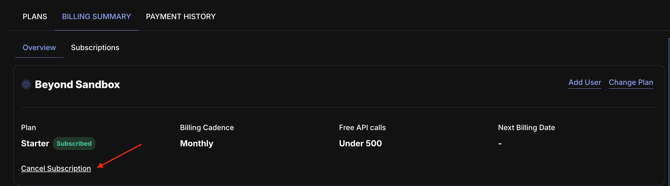
Under your plan details, click the Cancel Subscription link at the bottom of the subscription card.
4. Confirm cancellation
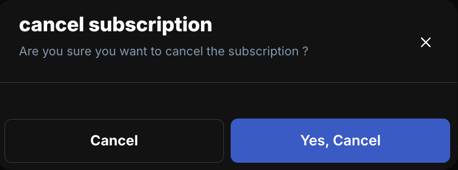
A confirmation dialog will appear asking "Are you sure you want to cancel the subscription?" Click Yes, Cancel to proceed, or Cancel to go back.